Most teams don't run one cluster. There's one per environment, one per region, sometimes one per customer. Automation, GitOps and Infrastructure as Code made creating them easy, but the engineers working with them still go one cluster at a time.
With kubectl, that means switching contexts, remembering which one you're on, and running the same command again for every cluster. Sooner or later, someone runs it against the wrong one.
Pick as many clusters as you like
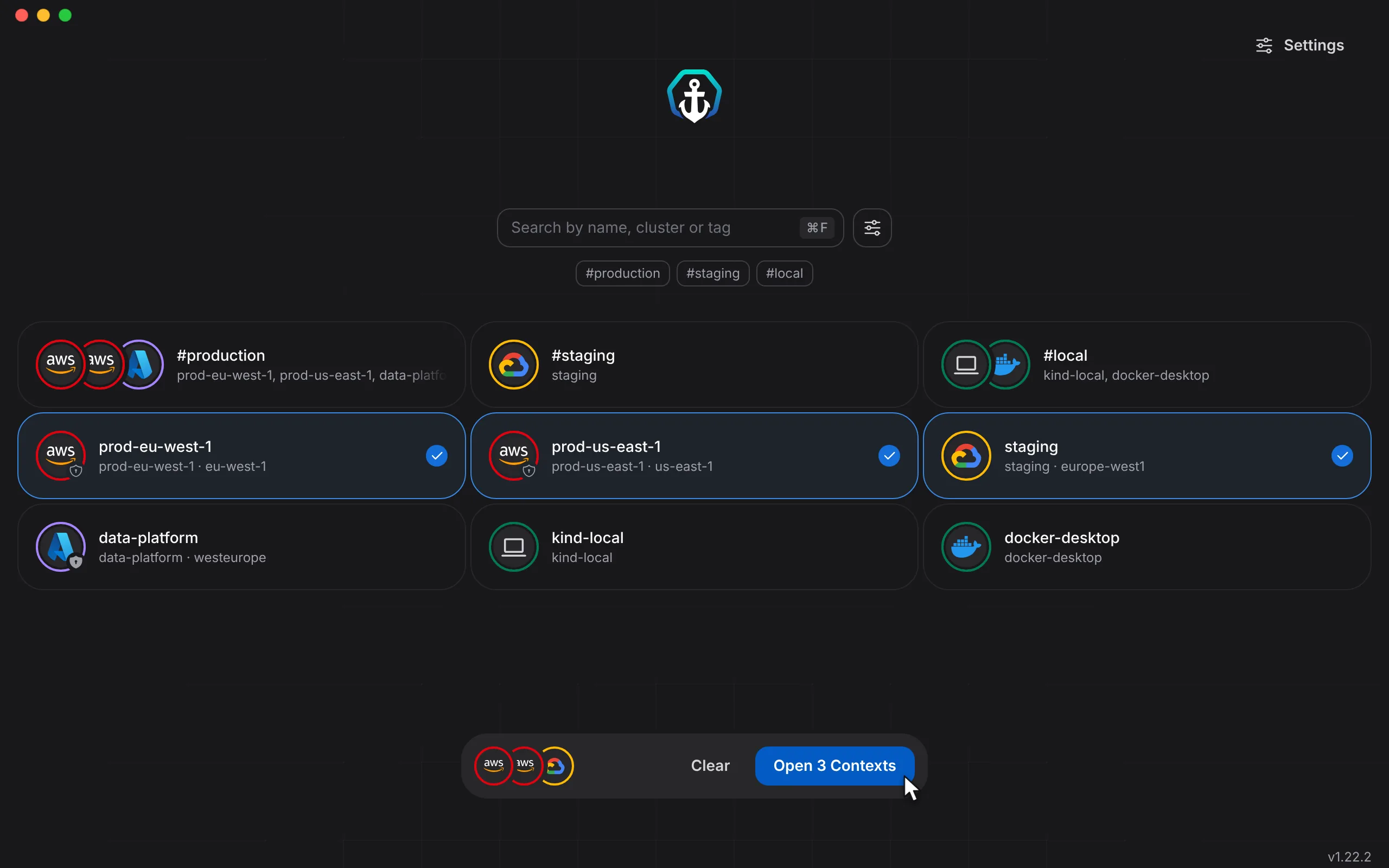
When you open Aptakube, it lists every context in your kubeconfig. Select one, or as many as you need, and open them together. Contexts you use together can share a tag, like #production or #staging, so the whole group is one click away.
Every cluster in one table
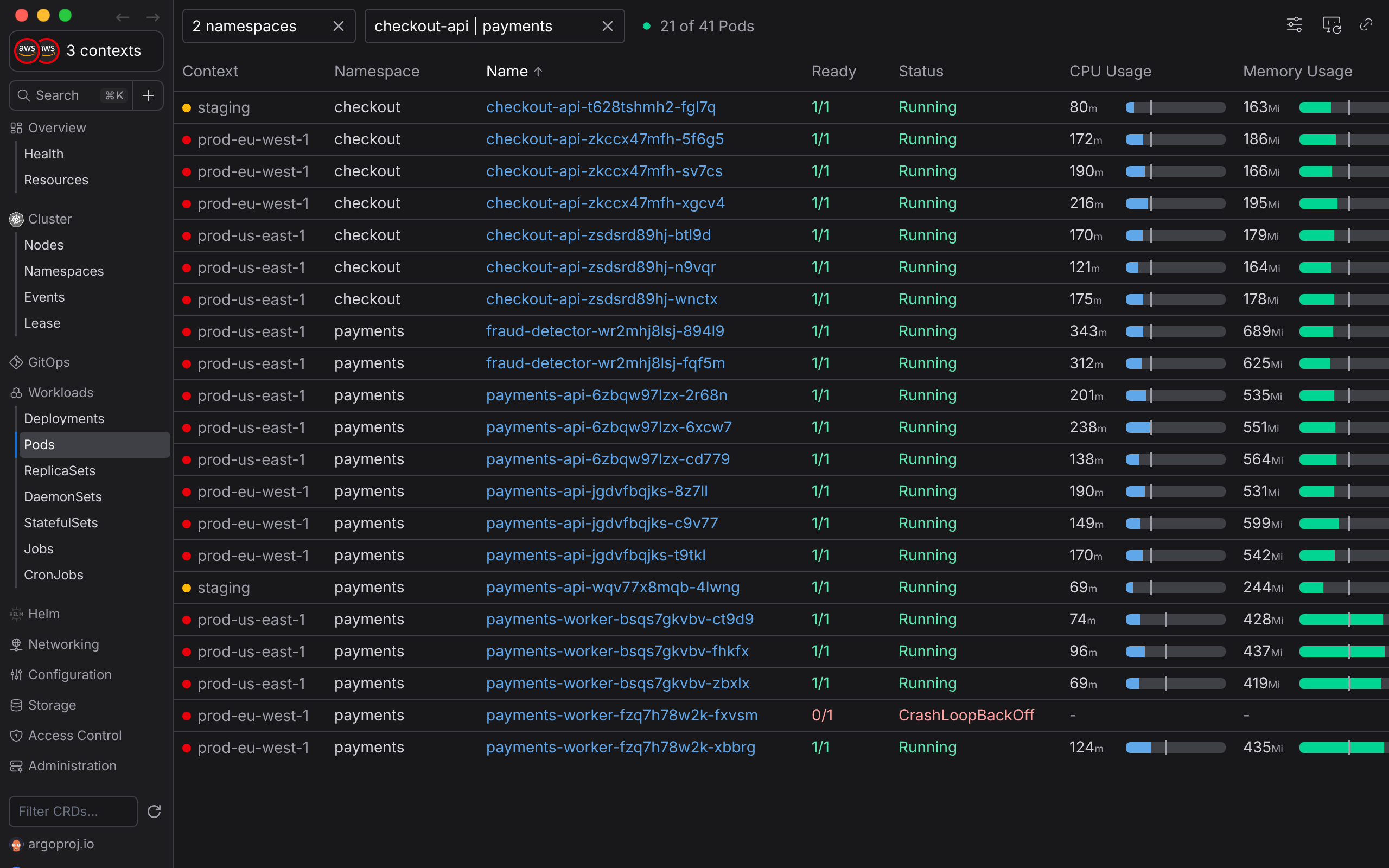
Once connected, every list shows the resources of all selected clusters in a single table: Pods, Deployments, Nodes, Events and even your Custom Resources. The Context column tells you where each row lives, with the cluster's color next to its name.
Sorting, filtering and selecting work across clusters too. Say your checkout service runs in Europe and in America, and users report errors. Filter by checkout-api | payments and you see every replica from both regions, including the one stuck in CrashLoopBackOff.
Act on several clusters at once
Select rows from different clusters to restart, scale or delete them in one go, or open their logs in a single stream. Each change goes to the right cluster, because Aptakube identifies every resource by its context, namespace and name, never by name alone.
Works with the clusters you already have
Aptakube follows a zero-config model:
- It works with your existing kubeconfig.
- There is nothing to install on your clusters.
- Clusters don't need to be connected to each other.
- They can run on different clouds and regions: EKS, GKE, AKS, on-premises and a local kind cluster in the same view is fine.